Disclaimer: This article is provided for informational purposes only and does not constitute legal advice. For serious brand infringement or fraud cases, consult a qualified attorney in your jurisdiction.
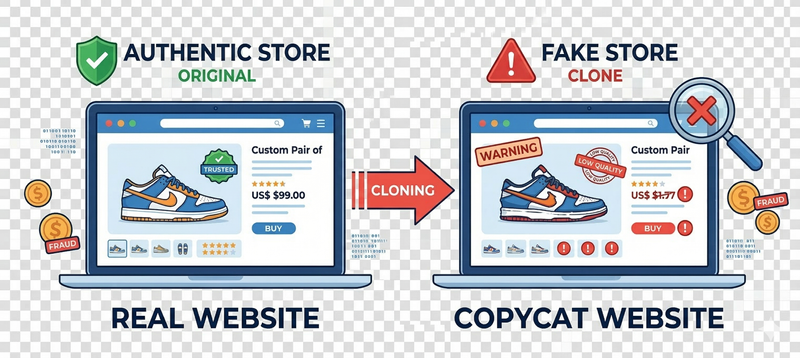
Discovering that someone has cloned your online store — copying your product images, descriptions, pricing, and even your logo — is alarming. These fraudulent sites deceive your customers, damage your reputation, and can result in real financial harm to both you and the people who trusted your brand. The good news is that you have real tools and legal avenues to fight back.
This guide walks you through every step: identifying the fake site, gathering evidence, filing takedown requests with hosting providers and registrars, submitting DMCA notices, reporting to search engines, and escalating if needed.
How to Identify a Fake or Cloned Website
Before acting, confirm what you are dealing with. There are several common types of malicious copycat sites:
- Full clones (mirror sites): The entire website has been scraped and reproduced, sometimes proxied through another server so your content loads inside their domain.
- Product scrapers: Only your product listings, images, and descriptions have been copied to a fraudulent store.
- Phishing replicas: A site that mimics your brand identity to steal customer credentials or payment information.
-
Typosquatting domains: Sites registered with slight misspellings or different TLDs (e.g.,
yourbrand-shop.comvs.yourbrand.com) that impersonate your business.
Signs you have a clone
- Customers contact you about orders they never placed on your site.
- You receive complaints from people who paid but received nothing.
- A reverse image search of your product photos returns unfamiliar domains.
- Your brand name appears in Google results pointing to sites you do not own.
Tools to detect fake sites
- Google Reverse Image Search — drag any product photo to find where else it appears online.
- TinEye — specialized reverse image search engine.
- Google Alerts — set up alerts for your brand name, store URL, and product names.
- Brand24 or Mention — paid tools that monitor the web for mentions of your brand.
- Copyscape — checks whether your product descriptions or blog content have been plagiarized.
- DNSTwist — shows you all the typosquatting variations of your domain that are registered.
Step 1: Collect Evidence Immediately
Before filing any reports, document everything thoroughly. Hosting providers and legal teams will require proof.
- Take full-page screenshots of the fake site — include URLs, product listings, copied images, contact pages (or lack thereof), and anything that mirrors your brand. Use tools like GoFullPage (Chrome extension) or Awesome Screenshot.
- Record the date and time for each screenshot.
- Save the full URL of every infringing page.
- Use the Wayback Machine to archive snapshots of the fake site so the evidence is preserved even if the site is taken down quickly.
- Note the domain name and registrar — use WHOIS lookup tools described below.
- Save any customer complaints or messages referencing the fake store — these strengthen your case.
Step 2: Find Out Who Is Behind the Fake Site
Use these tools to identify the domain registrar, hosting provider, and (sometimes) the owner:
- ICANN WHOIS — official WHOIS lookup; provides registrar information even when personal details are privacy-protected.
- who.is — user-friendly WHOIS lookup.
- DomainTools — detailed WHOIS with historical records.
- BuiltWith — reveals the hosting provider, CDN, and technology stack behind a site.
- Shodan or SecurityTrails — can reveal IP address history and associated infrastructure.
- Cloudflare Radar / ipinfo.io — to identify if Cloudflare or another CDN is masking the real hosting provider.
Tip: Even if WHOIS privacy protection hides the registrant’s contact information, the registrar is still listed. The registrar is required to act on abuse reports.
Step 3: File an Abuse Report with the Hosting Provider
Once you know who is hosting the fake site, contact them directly. Most major providers have abuse reporting processes.
Hosting Providers
Cloudflare
Cloudflare is a CDN and DDoS protection service commonly used to mask the true hosting provider. Cloudflare itself may not be the host, but it can disable its proxy for the domain.
- Abuse report form: https://www.cloudflare.com/abuse/
- Select “Report Phishing” or “Report Copyright Infringement” depending on your case.
- If Cloudflare is only acting as a proxy, they will forward your complaint to the actual hosting provider or reveal the origin IP.
- For phishing specifically, Cloudflare acts quickly — usually within 24–48 hours.
Amazon Web Services (AWS)
- Abuse report: https://support.aws.amazon.com/awssupport/latest/user/report-abuse.html
- Or email: abuse@amazonaws.com
- Include the domain, IP address, description of the infringement, and your evidence.
- AWS has a dedicated Trust & Safety team and typically responds within a few business days.
Google Cloud
- Abuse form: https://support.google.com/code/answer/9952153
- Or email: abuse@google.com for general abuse or copyright@google.com for DMCA.
Microsoft Azure
- Report abuse: https://www.microsoft.com/en-us/concern/fraud
- Email: abuse@microsoft.com
Netlify
- Abuse form: https://www.netlify.com/trust-center/#contact-us
- Or email: abuse@netlify.com
- Netlify responds quickly to copyright and phishing complaints.
Vercel
- Email: abuse@vercel.com
- Include the full URL, description, and your supporting screenshots.
GitHub Pages
- DMCA takedown: https://docs.github.com/en/site-policy/content-removal-policies/dmca-takedown-policy
- Or email: copyright@github.com
GoDaddy
- Report abuse: https://supportcenter.godaddy.com/AbuseReport
- GoDaddy handles both hosting and domain registration abuse.
Namecheap
- Abuse form: https://www.namecheap.com/support/knowledgebase/article.aspx/9196/
- Or email: abuse@namecheap.com
OVHcloud
- Abuse form: https://www.ovhcloud.com/en/abuse/
- Or email: abuse@ovh.net
How to Write an Effective Abuse Report
Include the following information in every report you send:
- Your full name and contact information.
- Your official website URL and proof of ownership (e.g., link to your business registration or social media pages).
- The exact URLs of the infringing pages on the fake site.
- A clear description of what has been copied (images, text, design, logo, products).
- Screenshots as attachments.
- A statement that you believe the activity constitutes copyright infringement, fraud, or phishing (specify which applies).
- A declaration that the information in your report is accurate.
Step 4: File a DMCA Takedown Notice
The Digital Millennium Copyright Act (DMCA) is a US law that applies to any hosting provider or platform with US operations — which covers most global hosts. A DMCA notice legally requires them to remove infringing content or risk losing their liability protections.
What you need for a valid DMCA notice
Under 17 U.S.C. § 512(c)(3), a DMCA notice must include:
- Your signature (physical or electronic) as the copyright owner or authorized representative.
- Identification of the copyrighted work — e.g., “My product images originally published at [your URL]” and “My product descriptions written and owned by [Your Business Name].”
- Identification of the infringing material — the exact URLs on the fake site where your content appears.
- Your contact information — name, address, phone number, email.
- A statement of good faith belief — “I have a good faith belief that use of the material in the manner complained of is not authorized by the copyright owner, its agent, or the law.”
- A statement of accuracy and authority — “I swear, under penalty of perjury, that the information in this notification is accurate, and that I am the copyright owner, or am authorized to act on behalf of the copyright owner.”
Where to send the DMCA notice
- Send it to the hosting provider’s designated DMCA agent — for large providers, this is usually listed on their website or in the US Copyright Office DMCA Agent Directory.
- You can use services like DMCA.com to manage takedowns if you expect to deal with this repeatedly.
Template DMCA Takedown Notice
Subject: DMCA Copyright Infringement Notice
To Whom It May Concern,
I am the owner of the copyright in the content described below, published at [Your Website URL].
The following content on your network infringes my copyright:
Infringing URL(s): [Paste every infringing URL here]
Original content URL(s): [Your original product pages or image URLs]
Description of infringement: [Specify what was copied — product images, descriptions, logo, design, etc.]
I have a good faith belief that the use of the described material in the manner complained of is not authorized by the copyright owner, its agent, or the law.
I swear, under penalty of perjury, that the information in this notification is accurate and that I am the copyright owner or am authorized to act on behalf of the copyright owner.
Name: [Your Full Name]
Business: [Your Business Name]
Email: [Your Email Address]
Phone: [Your Phone Number]
Address: [Your Physical Address][Your Signature]
[Date]
Step 5: Report the Fake Site to Search Engines
Even if the site stays online while you wait for a hosting response, you can get it de-indexed or flagged in search results, limiting the damage.
- Report phishing: https://safebrowsing.google.com/safebrowsing/report_phish/
- Request DMCA removal from search results: https://reportcontent.google.com/forms/dmca
- Report spam or paid links: https://www.google.com/webmasters/tools/spamreport
Once Google marks a site as deceptive, it shows a “This site may harm your computer” or “Deceptive site ahead” warning to all visitors — effectively killing the fake site’s traffic.
Bing / Microsoft
- Report a phishing site: https://www.microsoft.com/en-us/wdsi/support/report-unsafe-site-guest
- DMCA / Content removal: https://www.bing.com/webmaster/tools/contentremoval
Yandex
- Report abuse: https://yandex.com/support/abuse/index.html
Step 6: Report to the Domain Registrar
If the hosting provider does not act fast enough, contact the domain registrar directly. Registrars can suspend or cancel a domain name if it violates their Acceptable Use Policy. Use the WHOIS lookup to find the registrar.
Every domain registrar accredited by ICANN must provide an abuse contact. You can find them through:
- ICANN’s Registrar Directory — lists abuse emails for every accredited registrar.
- Abuse.ch — a community platform for reporting malicious domains.
UDRP Complaints (for trademark violations)
If the fake domain uses your brand name or trademark, you can file a Uniform Domain-Name Dispute-Resolution Policy (UDRP) complaint through:
- WIPO Arbitration and Mediation Center — international trademark disputes.
- National Arbitration Forum — US-focused UDRP proceedings.
A UDRP complaint can result in the domain being transferred to you or cancelled entirely. It is faster and much cheaper than going to court.
Step 7: Report to Payment Processors
Fraudulent stores need to accept payments. You can disrupt their operation by reporting them to the payment processors they use. Check the fake site for logos or payment gateway names.
- PayPal: https://www.paypal.com/us/smarthelp/article/how-do-i-report-a-fraudulent-site-faq3260
- Stripe: Email support@stripe.com or use the in-dashboard report option. You can also report a fraudulent Stripe-powered merchant at https://stripe.com/docs/disputes.
- Mastercard: https://www.mastercard.us/en-us/business/overview/safety-and-security/report-fraud.html
- Visa: https://www.visa.com/splisting/searchGrATM.do
- Apple Pay / Google Pay: Contact their respective fraud teams via their merchant support portals.
Payment processors take fraud reports very seriously — a confirmed fraudulent merchant can have their account frozen within hours.
Step 8: Report to Government and Consumer Protection Agencies
Reporting to official authorities creates a legal record and can trigger investigations.
United States
- FBI Internet Crime Complaint Center (IC3): https://www.ic3.gov — for internet fraud and cybercrime.
- FTC (Federal Trade Commission): https://reportfraud.ftc.gov
- CISA (Cybersecurity and Infrastructure Security Agency): https://www.cisa.gov/report — for phishing and cybersecurity threats.
European Union
- Europol: https://www.europol.europa.eu/report-a-crime/report-cybercrime-online
- Your national consumer protection body — e.g., Trading Standards (UK), DGCCRF (France), AGCM (Italy).
United Kingdom
- Action Fraud: https://www.actionfraud.police.uk
- National Cyber Security Centre (NCSC) Suspicious Email Reporting Service: https://www.ncsc.gov.uk/collection/phishing-scams
Latin America (relevant for Jumpseller merchants)
- Chile — SERNAC: https://www.sernac.cl — file a consumer fraud complaint.
- Chile — PDI Cybercrime Brigade: https://www.pdi.cl/brigada-investigadora-del-cibercrimen/ — for active phishing and fraud targeting Chilean customers.
- Colombia — CCP / SIC: https://www.sic.gov.co — Superintendencia de Industria y Comercio for IP infringement.
- Mexico — CONDUSEF: https://www.condusef.gob.mx — financial fraud reporting.
- Brazil — PROCON / Senacon: https://www.senacon.gov.br
Step 9: Protect Your Customers
While you work to take the fake site down, take immediate steps to warn and protect your customers.
- Post a notice on your website — a banner or pop-up stating your official domain and warning that other sites claiming to be you are fraudulent.
- Announce on social media — inform your followers about the fake site and remind them to only purchase from your official URL.
- Send an email to your customer list — a short, clear email warning customers about the scam and providing your official contact information.
- Update your Google Business profile — add a post warning about the fake site.
- Make your official domain visible — ensure your real domain is prominent on packaging, receipts, invoices, and marketing materials.
What to say in a customer warning
“We have been made aware that a fraudulent website is impersonating [Your Brand]. Our only official store is at [your-domain.com]. We do not operate any other storefronts online. If you have been charged by or interacted with a different site using our branding, please do not complete any transactions there, and contact us directly at [your-email]. We are actively working to have the fraudulent site removed.”
Step 10: Strengthen Your Brand Against Future Attacks
Removing one fake site does not prevent another from appearing. Take these measures to make your brand more resilient.
Register your trademark
Trademark registration is the single most powerful tool for brand protection online. With a registered trademark you can:
- File UDRP complaints to reclaim infringing domains.
- Enforce takedowns through brand protection programs at Amazon, Google, Meta, and others.
- Pursue legal action with a much clearer case.
Register your trademark with the relevant national office (e.g., USPTO for the US at https://www.uspto.gov, INPI for Brazil/Argentina, IMPI for Mexico, INAPI for Chile).
Enroll in brand protection programs
- Google Search Central — Brand Protection — verify your site in Search Console to have more control over how Google displays your brand.
- Meta Brand Rights Protection — report IP violations on Facebook and Instagram.
- Amazon Brand Registry — if you sell on Amazon, this gives you tools to remove counterfeits.
Register your brand domain variants
Consider registering common misspellings and alternative TLDs of your domain (e.g., .net, .co, .shop) and redirecting them to your main site, so attackers cannot use them.
Watermark your product images
Add subtle watermarks to your product photography. While they do not prevent copying entirely, they make scraped content traceable back to your store and help prove copyright ownership.
Use structured data and canonical tags
Implementing proper <link rel="canonical"> tags and Schema.org structured data on your product pages signals to search engines that your site is the original source, making it harder for scrapers to outrank you.
Quick Reference: Who to Contact First
| Situation | First Contact |
|---|---|
| Full site clone / proxy | Hosting provider abuse team |
| Cloudflare-proxied site | Cloudflare Abuse |
| Domain looks like your brand | Domain registrar + UDRP |
| Fake site appearing in Google | Google Phishing Report + DMCA removal |
| Customers already defrauded | Payment processor + IC3 / Action Fraud |
| Copies your images/text | DMCA notice to hosting provider |
| Trademark infringement | UDRP complaint via WIPO |
Summary
Dealing with a fake website that copies your store is stressful, but you are not powerless. Act in this order:
- Document everything — screenshots, URLs, dates.
- Identify the host and registrar — use WHOIS and BuiltWith.
- File abuse reports with the hosting provider (Cloudflare, AWS, Netlify, etc.).
- Send a DMCA takedown notice to the host.
- Report to search engines (Google, Bing) to de-index and flag the site.
- Contact payment processors to freeze the fraudster’s account.
- Report to government agencies for an official record.
- Warn your customers across all your channels.
- Strengthen your defenses with trademark registration, domain variants, and image watermarks.
The combination of multiple reports from different angles — hosting provider, registrar, search engines, and payment processors — is the fastest way to get a fake site shut down. Document your efforts throughout, and do not hesitate to consult a lawyer if the site does not come down or if customers have suffered significant financial harm.