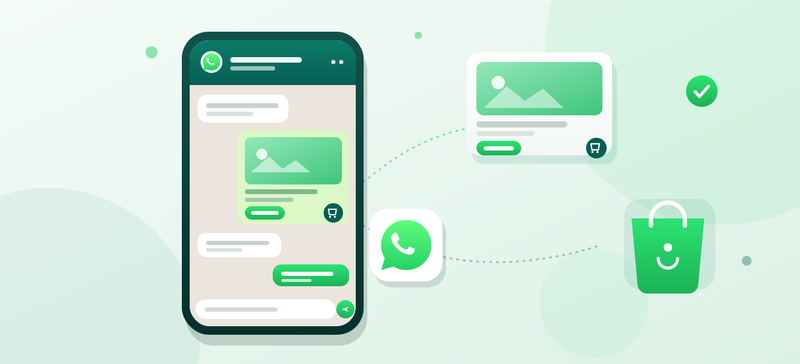
WhatsApp is where your customers already are. This guide shows you how to turn those everyday conversations into a real sales channel — catalog, automation, payments, and all.
For millions of shoppers across Latin America, Spain, and Portugal, WhatsApp isn’t just a messaging app — it’s the front door to a business. People ask about products, negotiate, and place orders without ever opening a browser. If you sell online and you’re not set up to sell inside WhatsApp, you’re leaving a busy storefront unattended.
This guide walks you through WhatsApp commerce from zero: what it is, how to set it up properly, and how to connect it to your online store so chats end in real, paid orders.
What Is WhatsApp Commerce?
WhatsApp commerce is the practice of using WhatsApp — specifically the free WhatsApp Business app or the WhatsApp Business Platform (API) — to showcase products, answer buyers, and complete sales. It spans everything from a one-person shop replying by hand to a store running automated catalogs and order flows for thousands of customers.
The appeal is simple: conversation converts. A buyer who can ask “do you have this in blue?” and get an answer in seconds is far more likely to purchase than one left alone on a product page.
Why Sell on WhatsApp?
The channel earns its place for a few concrete reasons. Open rates on WhatsApp messages routinely beat email by a wide margin, so order confirmations and back-in-stock alerts actually get read. It removes friction for shoppers who distrust unfamiliar checkouts but happily transact with a business they can message. And it’s especially powerful in markets where WhatsApp is the default way people communicate — much of LATAM, Spain, and Portugal included.
Step 1: Set Up WhatsApp Business
Start with the free WhatsApp Business app (Android or iOS). It’s separate from your personal WhatsApp and gives you a business identity: a business profile with your store name, logo, address, hours, and website link; quick replies for the questions you answer constantly; labels to organize chats by stage; and away messages so no one feels ignored outside business hours.
Fill the profile out completely. It’s the first impression buyers get, and a half-finished profile reads as a half-serious business.
Step 2: Build Your Product Catalog
WhatsApp Business lets you add a catalog — products with images, prices, and descriptions — that customers browse without leaving the chat. Keep photos clean and consistent, write short benefit-led descriptions, and make sure prices are current.

Example WhatsApp Business catalog”)
The catalog is your mini-storefront. Even when a conversation starts somewhere else, you can drop a product link straight into the thread and let the buyer tap to see details.
Step 3: Automate the Repetitive Parts
Once volume grows, answering every message by hand stops scaling. This is where the WhatsApp Business Platform (API) comes in, letting you connect tools that automate greetings, FAQs, order updates, and abandoned-cart nudges — while still handing off to a human when the conversation needs it. Pair automation with marketing automations so a WhatsApp message fires at exactly the right moment, like right after a cart is abandoned.
Step 4: Connect WhatsApp to Your Online Store
This is the step that turns chat into commerce. Instead of manually tracking who paid for what, connect WhatsApp to your store so orders, inventory, and payments stay in sync. With Jumpseller’s WhatsApp Commerce you can share real product links, keep one source of truth for stock, and send shoppers to a secure checkout with your normal payment methods — no more chasing transfers or copying order details by hand.
A connected setup also means a customer can discover a product on Instagram or Facebook, ask about it on WhatsApp, and check out through your store — one inventory, one order list, no double work.
Step 5: Drive Traffic Into WhatsApp
Make it effortless to start a chat. Add a click-to-chat button on your store and social profiles, put a WhatsApp QR code on packaging and receipts, and use “Message us on WhatsApp” calls to action in your ads. Every touchpoint should offer the conversation as the easy next step.
Common Mistakes to Avoid
The fastest ways to undermine a WhatsApp channel: replying too slowly (speed is the whole advantage), blasting promotional messages people didn’t opt into (a quick route to being blocked or reported), and letting your catalog and stock drift out of date. Treat the channel like a storefront, not a megaphone.
Turn Conversations Into Sales
WhatsApp commerce works because it meets buyers in the place they already trust. Set up WhatsApp Business properly, build a clean catalog, automate the repetitive work, and — most importantly — connect it to your store so every chat can end in a real, paid order.
Ready to sell where your customers already are? Start your free 7-day trial with Jumpseller and connect WhatsApp to your store today.